
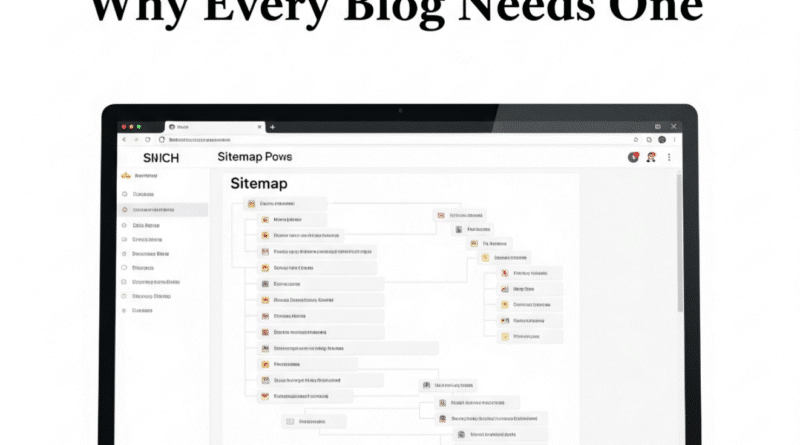
What Is a Sitemap? Why Every Blog Needs One
Ever felt like your blog is shouting into the void, hoping Google will notice? I sure did when I launched my first blog about hiking trails. I’d write these epic posts, but they were buried deep in search results, like a hidden trail no one could find. Then I learned about sitemaps, and it was like giving Google a map of my content. Suddenly, my posts started showing up where they belonged.
In 2025, with search engines smarter than ever and competition fiercer, a sitemap is like a neon sign saying, “Hey, my blog’s got great stuff, come check it out!” It’s a simple tool that helps search engines understand your site, which can make or break your visibility. Whether you’re a hobbyist blogger or running a side hustle, a sitemap can save you from getting lost in the internet jungle.
In this post, I’ll walk you through what a sitemap is, why it’s a must-have, and how to create one without pulling your hair out. We’ll also clear up some myths and share a pro tip to give your blog an edge. Ready to make your blog easier to find? Let’s dive in!
What is a Sitemap?
A sitemap is like a roadmap for your blog that tells search engines like Google or Bing where all your content lives. Think of it as a table of contents for your website, listing every page, post, or even image you want search engines to know about. There are two main types: XML sitemaps (for search engines) and HTML sitemaps (more for humans), but we’ll focus on XML since it’s the SEO superstar.
Picture your blog as a library. Without a sitemap, Google’s like a librarian blindly wandering the shelves, maybe missing your best books. A sitemap hands them a neat catalog, saying, “Here’s every page, and here’s what’s most important.” It includes URLs for your posts, pages, and sometimes details like when they were last updated or how often they change.
For example, when I added a sitemap to my hiking blog, I noticed Google indexed my new trail guides faster. It’s not a magic bullet for ranking #1, but it ensures search engines can crawl your site efficiently. Without one, you’re leaving it to chance whether your content gets found, especially if your blog has lots of pages or a tricky structure.
Why Sitemaps Matter in 2025
Sitemaps became a thing in the early 2000s when Google and other search engines started using them to better understand websites. Back then, the internet was a wild west of clunky navigation, and sitemaps helped make sense of it. Fast forward to 2025, and they’re still crucial, especially with AI-driven search algorithms and millions of blogs vying for attention.
Why care? Search engines rely on crawling to discover your content, but they’re not perfect. A sitemap ensures they don’t miss your latest post or a hidden page. This is huge for new blogs or ones with complex structures, like my hiking site, where I had buried pages for obscure trails. A sitemap gets those indexed in days, not weeks.
Plus, with Google prioritizing user experience and fresh content, sitemaps help highlight what’s new or important. They’re also a lifesaver if you’re tweaking your site or adding tons of new posts. For bloggers, it’s a low-effort way to boost discoverability and stay competitive in a crowded digital world. No sitemap? You’re basically asking Google to play hide-and-seek with your blog.
Breaking Down Sitemaps
Types of Sitemaps
There are two main sitemap flavors: XML and HTML. XML sitemaps are designed for search engines. They’re a structured file listing your blog’s URLs, often with extra info like when a page was last updated or its priority (like saying your homepage matters more than an old post). Most blogging platforms like WordPress generate these automatically, but you can customize them.
HTML sitemaps, on the other hand, are for humans. They’re like a clickable menu of your site, helping visitors navigate. Think of a “Site Map” link in a website’s footer that lists all pages. These are less common today since menus and search bars do the job, but they’re handy for massive blogs.
For example, my hiking blog used an XML sitemap to get Google to crawl my trail guides. I didn’t bother with an HTML sitemap since my navigation was simple, but a friend with a 200-page recipe blog swears by hers for user-friendliness. For SEO, XML is your focus; it’s what gets your content in front of search engines fast.
What Goes Into an XML Sitemap?
An XML sitemap is a file (usually called sitemap.xml) that lists your blog’s URLs in a format search engines understand. It’s got a few key parts: the URLs themselves, the last modified date (so Google knows what’s fresh), change frequency (how often a page updates), and priority (a 0.0–1.0 score hinting at a page’s importance).
For instance, my sitemap included my homepage (priority 1.0), key category pages like “Beginner Trails” (0.8), and individual posts (0.5–0.7). I set my weekly trail guides to “weekly” change frequency since I posted often, but my “About” page was “yearly” since it rarely changed.
You don’t need every page in there; skip outdated posts or thin content (like a barebones contact page). Tools like Yoast SEO on WordPress make this easy by auto-generating sitemaps, but you can tweak them to exclude junk or highlight new stuff. The goal? Make it crystal clear for Google to find and prioritize your best content.
Why Sitemaps Help SEO
Sitemaps boost SEO by making your blog’s content easy for search engines to discover and index. Indexing is when Google adds your pages to its search database. Without a sitemap, crawlers might miss pages, especially on newer sites, blogs with lots of content, or ones with poor internal linking.
For example, when I launched a new section on my blog for “Winter Hiking Tips,” it took weeks for Google to index it until I added it to my sitemap. After that, new posts showed up in search within days. Sitemaps also help search engines understand your site’s structure, so they know which pages are your heavy hitters.
In 2025, with Google’s algorithms prioritizing fresh, relevant content, a sitemap ensures your latest posts get noticed fast. It’s especially critical for blogs with dynamic content, like news or e-commerce sites, but even small bloggers benefit. A sitemap doesn’t directly boost rankings, but it’s like rolling out the red carpet for crawlers, giving your content a better shot at shining in search results.
How to Create and Use a Sitemap
Creating a sitemap is easier than you’d think, and it’s a game-changer for your blog’s visibility. Here’s how to do it, step by step, with tools most bloggers already use:
- Check Your Platform: If you’re on WordPress, plugins like Yoast SEO or Rank Math automatically generate an XML sitemap. Go to your plugin settings, enable the sitemap feature, and you’ll find it at something like
yourblog.com/sitemap.xml. For Squarespace or Wix, check their SEO settings; most platforms have built-in sitemap tools. - Use a Sitemap Generator: No plugin? Tools like XML-Sitemaps.com let you enter your URL and create a free sitemap file. Download it, then upload it to your site’s root directory (usually via FTP or your hosting panel). For my hiking blog, I used this when I was on a barebones platform, and it took 10 minutes.
- Submit to Google: Head to Google Search Console (free and essential). Under “Sitemaps,” submit your sitemap URL (e.g.,
yourblog.com/sitemap.xml). This tells Google exactly where to look. I did this and saw my new posts indexed in 48 hours. - Keep It Updated: If you add new posts or pages, your sitemap should reflect that. Most plugins auto-update, but double-check after big site changes. I forgot once after a redesign, and Google missed half my new content.
- Test It: Use a tool like Screaming Frog to crawl your sitemap and ensure all important pages are included. Exclude junk like login pages or duplicates.
Pro tip: If you’re adding videos or images, create separate sitemaps for those (Yoast can help). My trail guide videos got more traction after I added a video sitemap. Start today, check if you have a sitemap, and if not, set one up in 15 minutes. It’s a small task with big rewards.
Common Myths About Sitemaps
Let’s clear up some sitemap myths that confuse bloggers:
- Myth: “A sitemap guarantees top rankings.” Nope. A sitemap helps Google find your pages, but rankings depend on content quality, keywords, and links. My hiking blog’s sitemap got my pages indexed, but I still needed strong content to rank.
- Myth: “All pages must be in the sitemap.” Not true. Only include pages you want indexed, skip admin pages, or low-value content. I left out my “Thank You” page to avoid clutter.
- Myth: “Sitemaps are only for big sites.” Wrong. Even small blogs benefit. My 10-page hiking blog got faster indexing with a sitemap, which helped me compete with bigger sites.
- Myth: “You only need to submit it once.” Sort of. Google keeps checking your sitemap, but if you make big site changes, resubmit it in Search Console to speed things up.
These myths can make sitemaps seem scarier than they are. They’re just a tool to help search engines do their job. Don’t overthink it, just use it right.
Bonus Tip: Optimize Your Sitemap for Speed
Want to level up your sitemap game? Focus on speed and efficiency. Search engines have limited “crawl budgets” for your site, meaning they only spend so much time crawling your pages. A lean, optimized sitemap ensures they focus on what matters most.
First, prioritize your best content. Use the “priority” tag (0.0–1.0) in your XML sitemap to highlight key pages. For example, I set my hiking blog’s homepage and main category pages to 0.8–1.0, while older posts got 0.5. This tells Google what’s worth crawling first.
Second, keep your sitemap small. If you’ve got thousands of pages, split your sitemap into smaller ones (like one for posts, one for categories). Tools like Yoast can automate this. I did this when my blog hit 100 posts, and crawl errors dropped.
Finally, use “lastmod” tags to show when pages were updated. Google loves fresh content, and this nudges them to recrawl your latest posts. I added this to my sitemap, and my new trail guides showed up in search faster.
Check your sitemap in Google Search Console for errors (like broken links) and fix them with a tool like Screaming Frog. It’s a bit nerdy, but this extra effort can make your blog a crawler’s dream, boosting your SEO in 2025.
Conclusion
Sitemaps might not sound good, but they’re like the unsung heroes of your blog’s SEO. They make sure search engines can find every corner of your site, from your latest post to that hidden gem of a page you wrote months ago. Whether you’re a newbie blogger or a seasoned pro, a sitemap is a low-effort way to give your content the spotlight it deserves.
Take a moment today to check if your blog has a sitemap peek in your WordPress settings or use a tool like XML-Sitemaps.com. If you don’t have one, set it up and submit it to Google Search Console. It’s a quick win that could get your posts indexed faster and help you compete in 2025’s crowded online world. My hiking blog went from invisible to discoverable with this one trick, and yours can too.